For Serious Baseball Coaches DiamondKing crowned lion emblem

DiamondKing

Score every pitch. Own every game.

DiamondKing is the game-scoring and pitch-tracking app built for the dugout: every pitch, at-bat, pickoff, and base runner logged on your phone in a couple of taps, with the call showing on your wrist.

Coming soon to the App Store · iPhone + Apple Watch

The Toolkit

Everything the dugout needs

Built game-first: fast enough to keep up with live play, deep enough to tell you something afterward.

✍️

Live Game Scoring

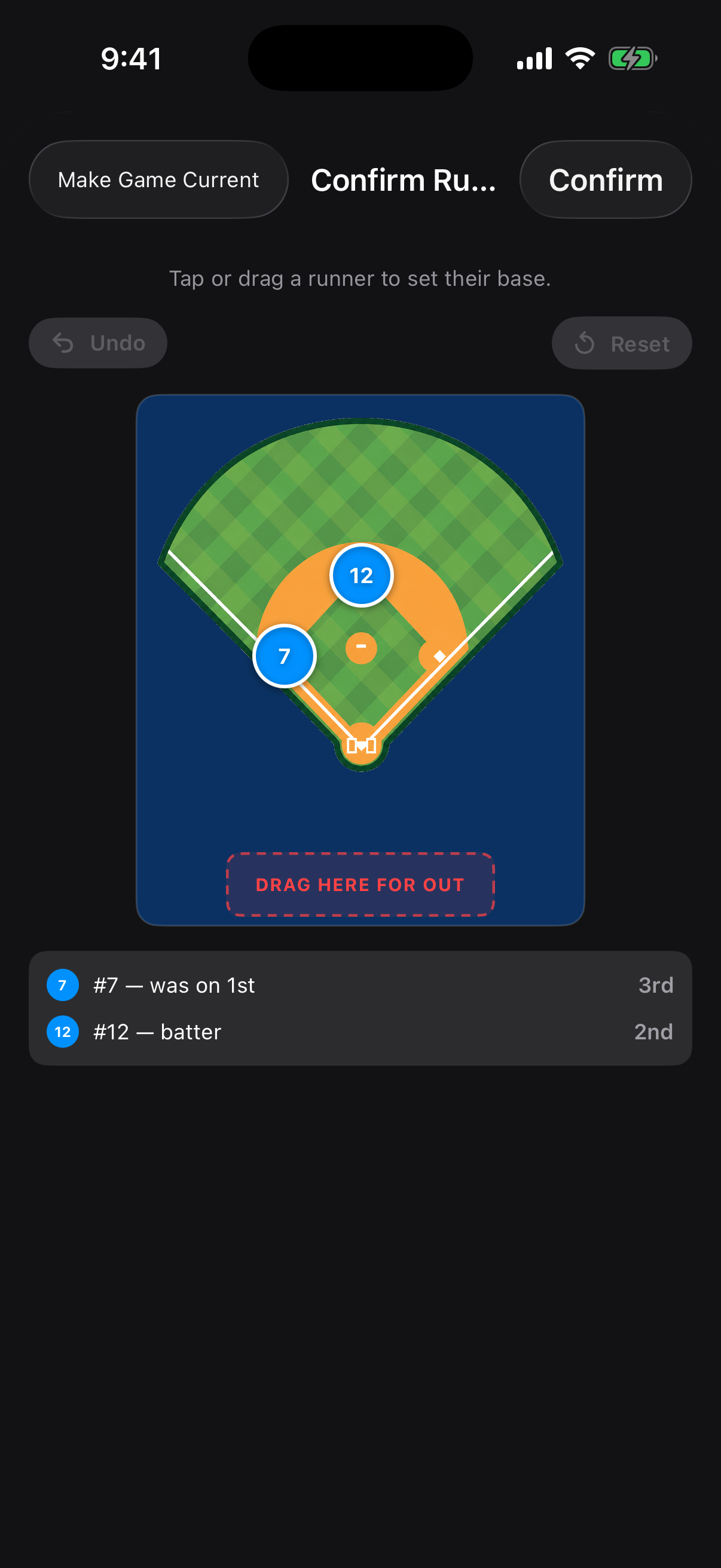
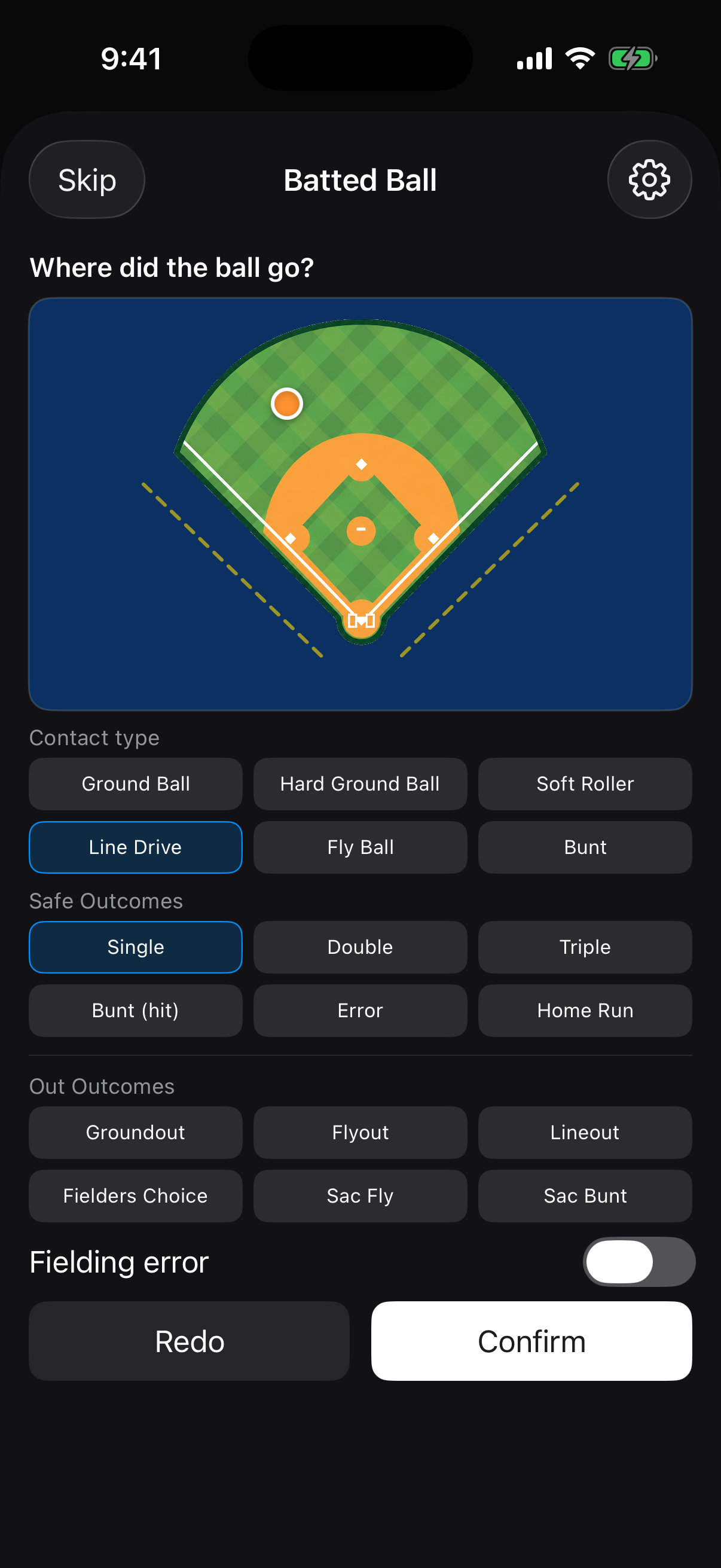
Log pitches, at-bats, substitutions, and base runners in real time. Tap the diamond to move runners and tap the field to chart where every ball in play landed.

⚡

Quick ModeNew

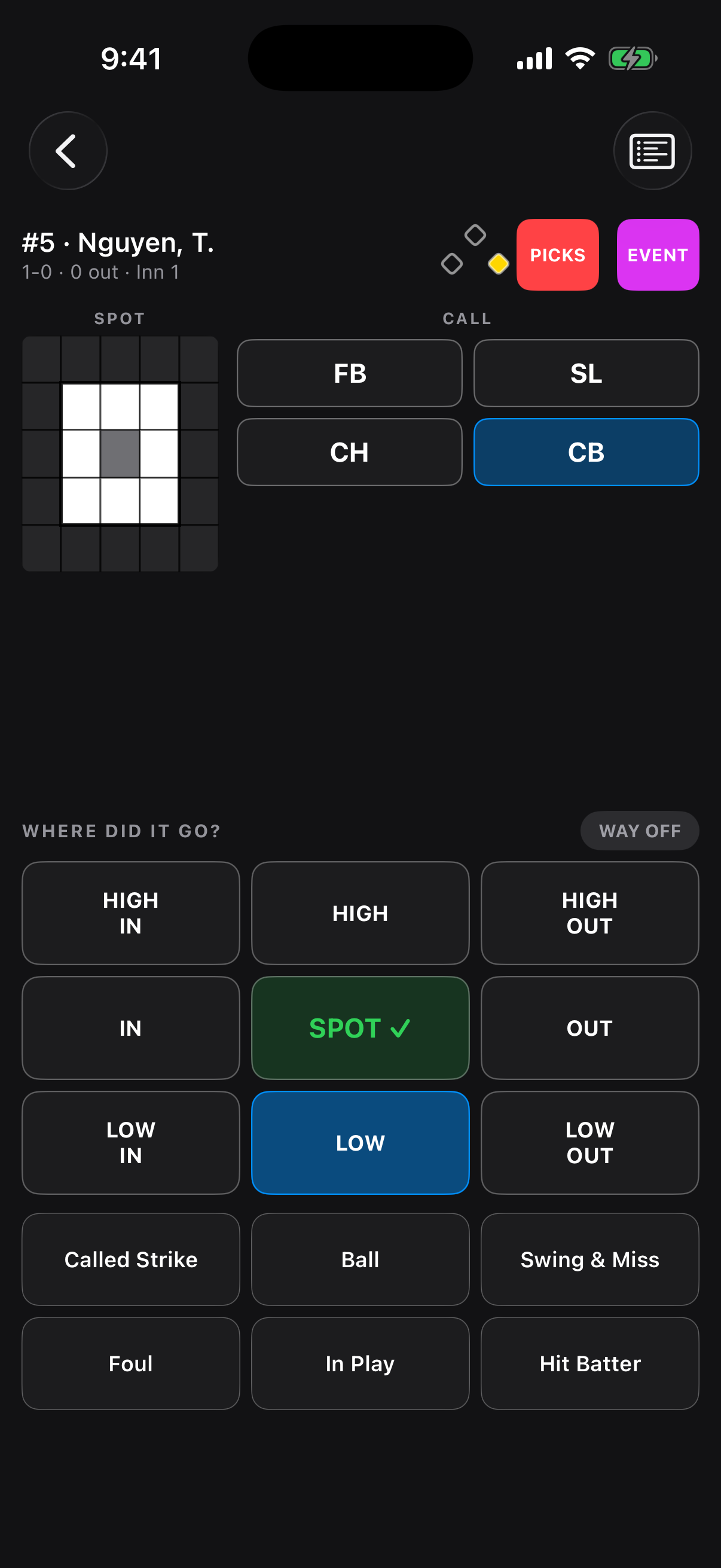
Most pitches take two taps: where it missed, then what happened. Your call carries over from pitch to pitch, one tap undoes a slip, and you can flip to full entry any time.

🎯

ZoneBox Pitch Tracking

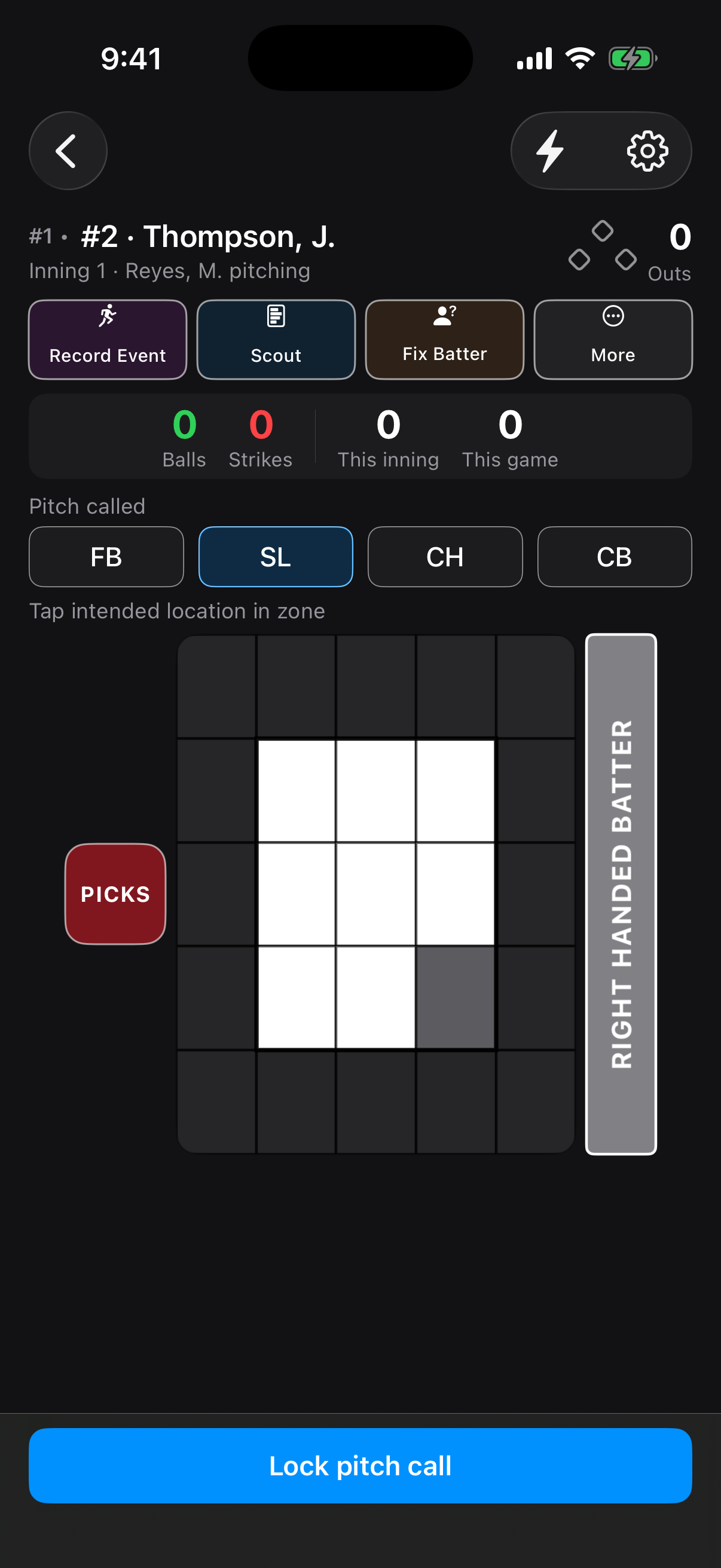
Call the pitch and the spot, then mark where it landed. DiamondKing tells you whether he hit it and, if not, which way he missed. Shake-offs are tracked too.

⚾

When the Unexpected HappensNew

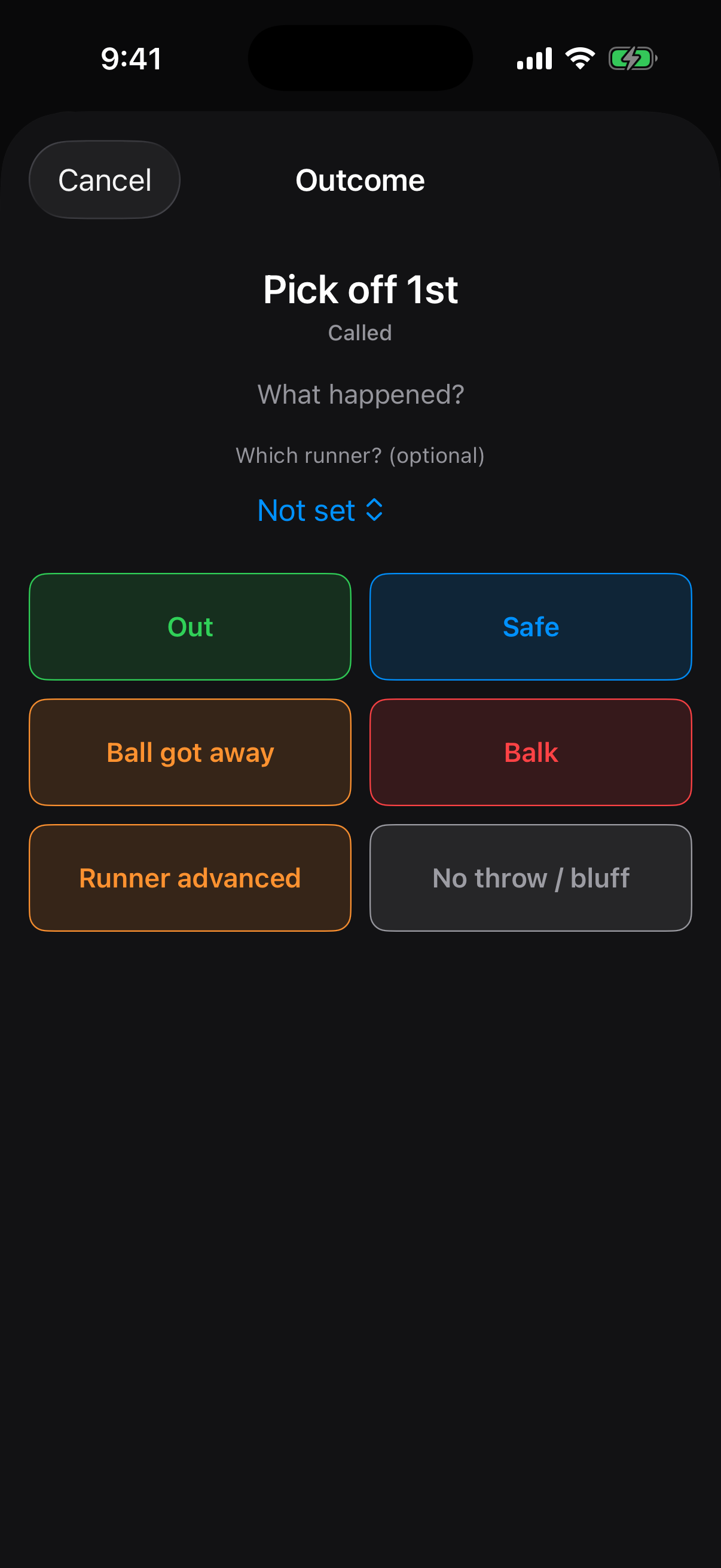
The pitcher picked on his own and the ball got away? Pickoffs, wild pitches, passed balls, balks, steals, and advances on errors can all be recorded mid-at-bat, called or not.

🔢

Pitch Counts That Follow the PitcherNew

Balls, strikes, this inning, and this game sit above the zone grid on the full pitch screen. When a reliever comes in, his pitches are credited to him, not the starter.

🔍

Pre-Pitch Card

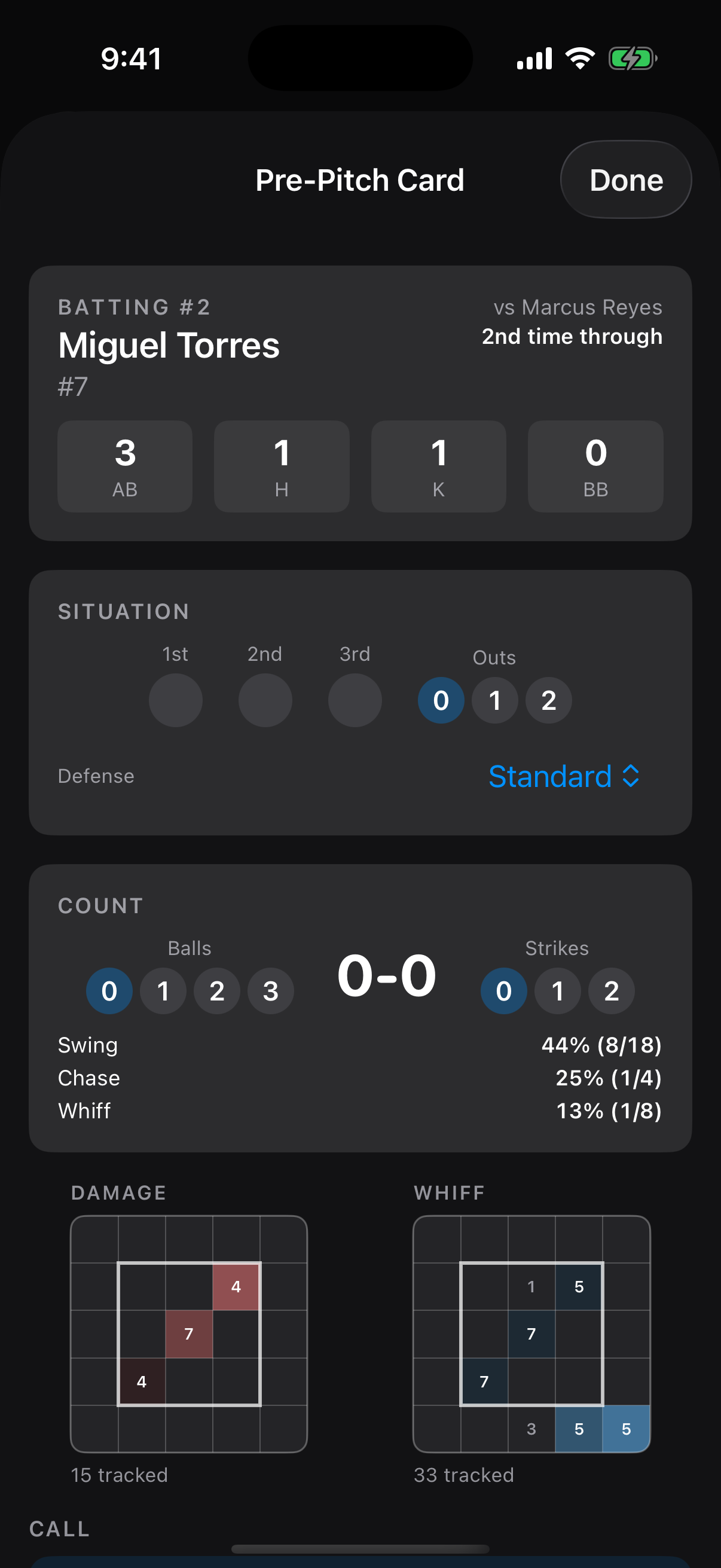
Before every pitch, see the hitter's line today, how many times through the order, and his swing, chase, and whiff rates. Heat maps show where he does damage and where he whiffs, with a suggested call and tonight's umpire zone.

📊

Post-Game Summaries

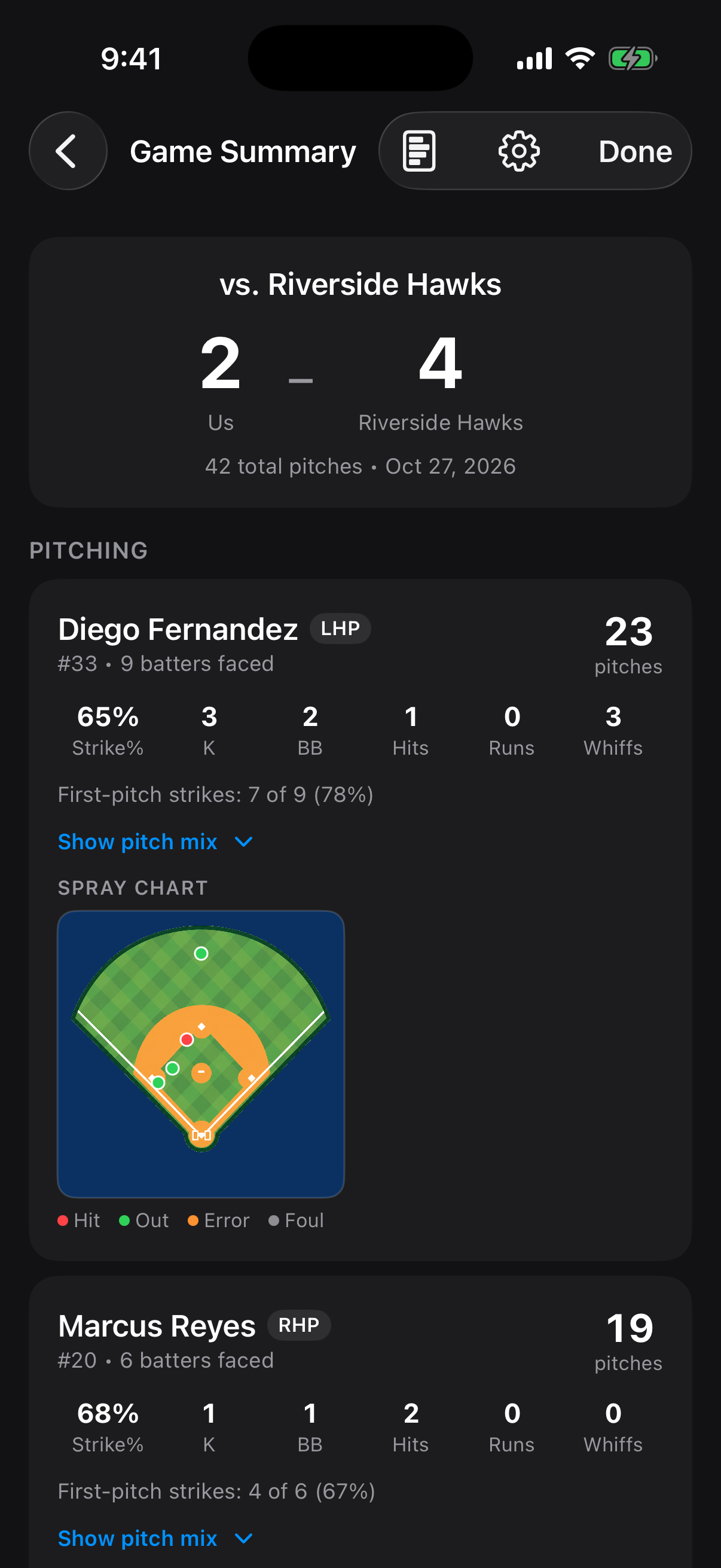
Per-pitcher report cards, how often each pitcher hit his spot, a shake-off report, the opposing lineup, and pitch counts by inning. Built automatically, saved and reloadable.

👥

Every Team, One PhoneNew

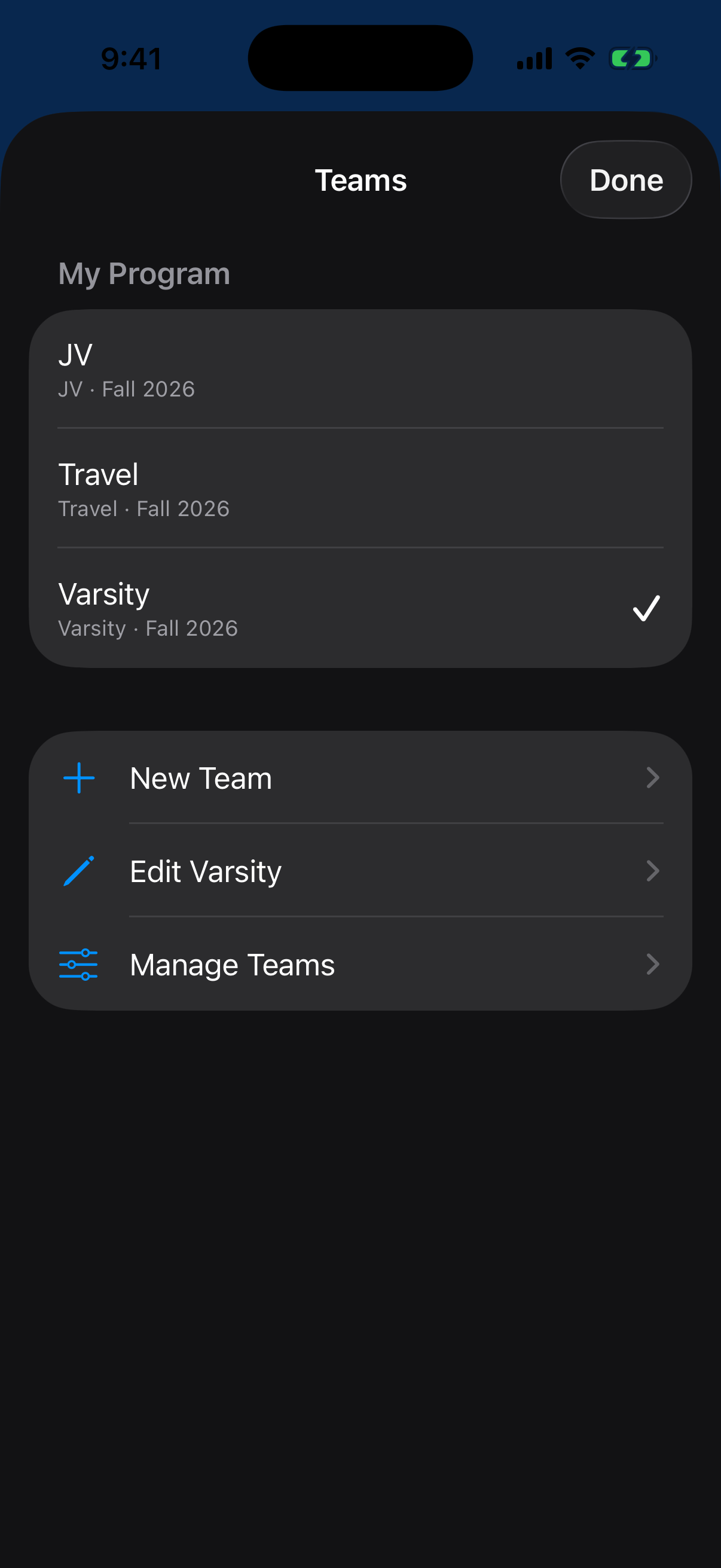
Run Varsity, JV, and a travel team from one phone. Each team keeps its own games and roster, and you can copy a roster forward when a new season starts.

⌚

Watch SignalsNew

The called pitch lights up on an Apple Watch and on dedicated pitcher and catcher signal watches over Bluetooth. Signals without saying a word.

🤝

Multi-Coach SyncComing Soon

Your whole staff on the same page, with shared game data across coaches.

🔒

Your Data, Kept

Games save to your device after every pitch and stay yours. Reload any past game, any time.

What's New

Shipped this fall

DiamondKing moves fast because real games keep asking for things. Here is what changed in October 2026.

See It In Action

Straight from the dugout

Real screens from the app: the pitch call, the two-tap quick mode, pickoffs, runners, scouting, and the post-game report.

Tap the icon and you're in the game.
Quick Mode in DiamondKing: a 3-by-3 miss pad, result buttons, and the pitch count strip
Quick Mode: tap the miss, tap the result. Two taps.
Calling a pitch and target in the DiamondKing zone grid
Full entry: call the pitch, tap the zone, lock it in.
The pickoff screen in DiamondKing with outcome choices including ball got away
Pickoffs with real outcomes: ball got away, balk, runner advanced.
Tappable baseball diamond for confirming where runners ended up
Move runners right on the diamond.
Hit location field diagram in DiamondKing
Tap where it landed. Every ball in play, mapped.
Pre-Pitch Card in DiamondKing showing a batter's line, swing and whiff rates, and damage and whiff heat maps
The hitter's tendencies and heat maps, before every pitch.
Post-game summary in DiamondKing with per-pitcher report cards
The whole game in numbers, the moment it ends.
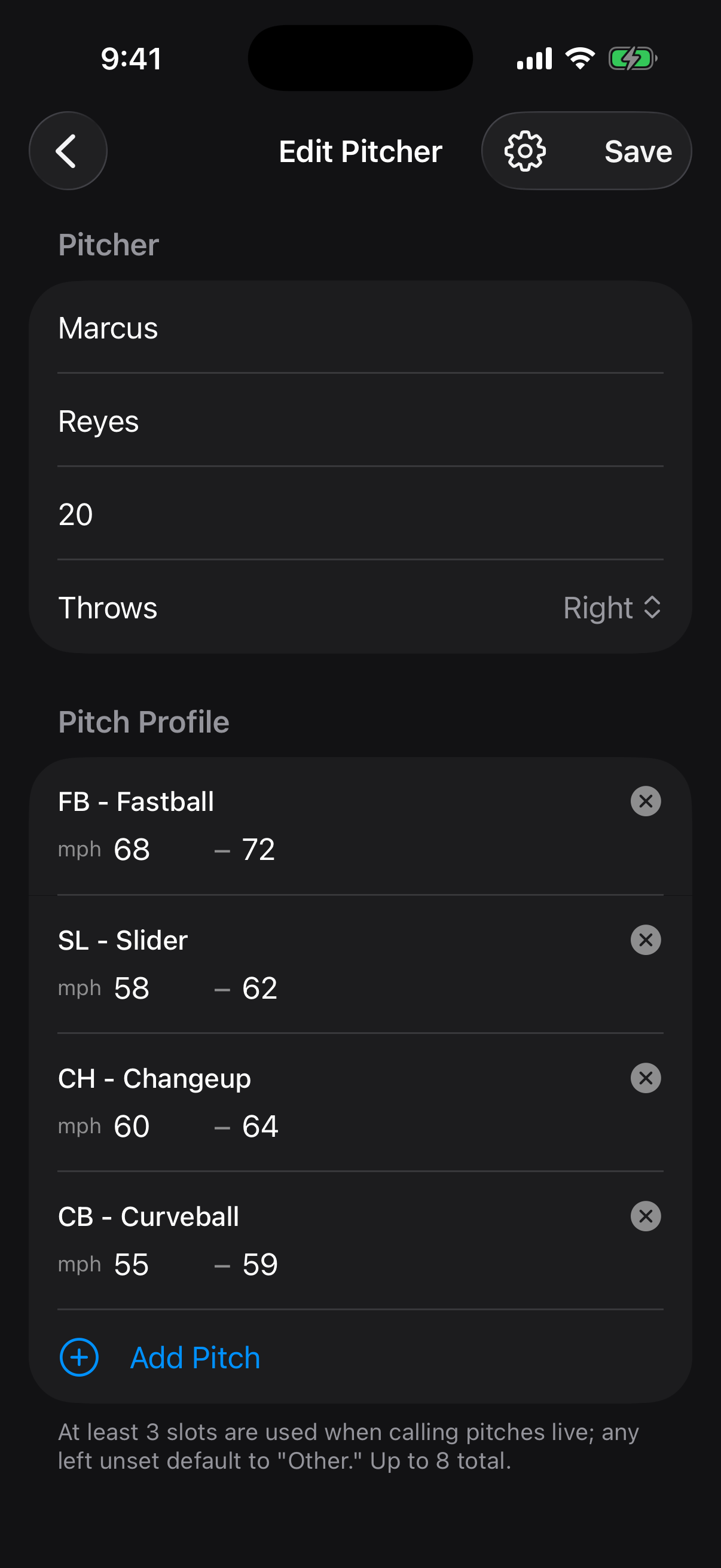
Pitcher profile in DiamondKing showing pitch arsenal and velocity ranges
Build the arsenal: every pitch type, every velo range.
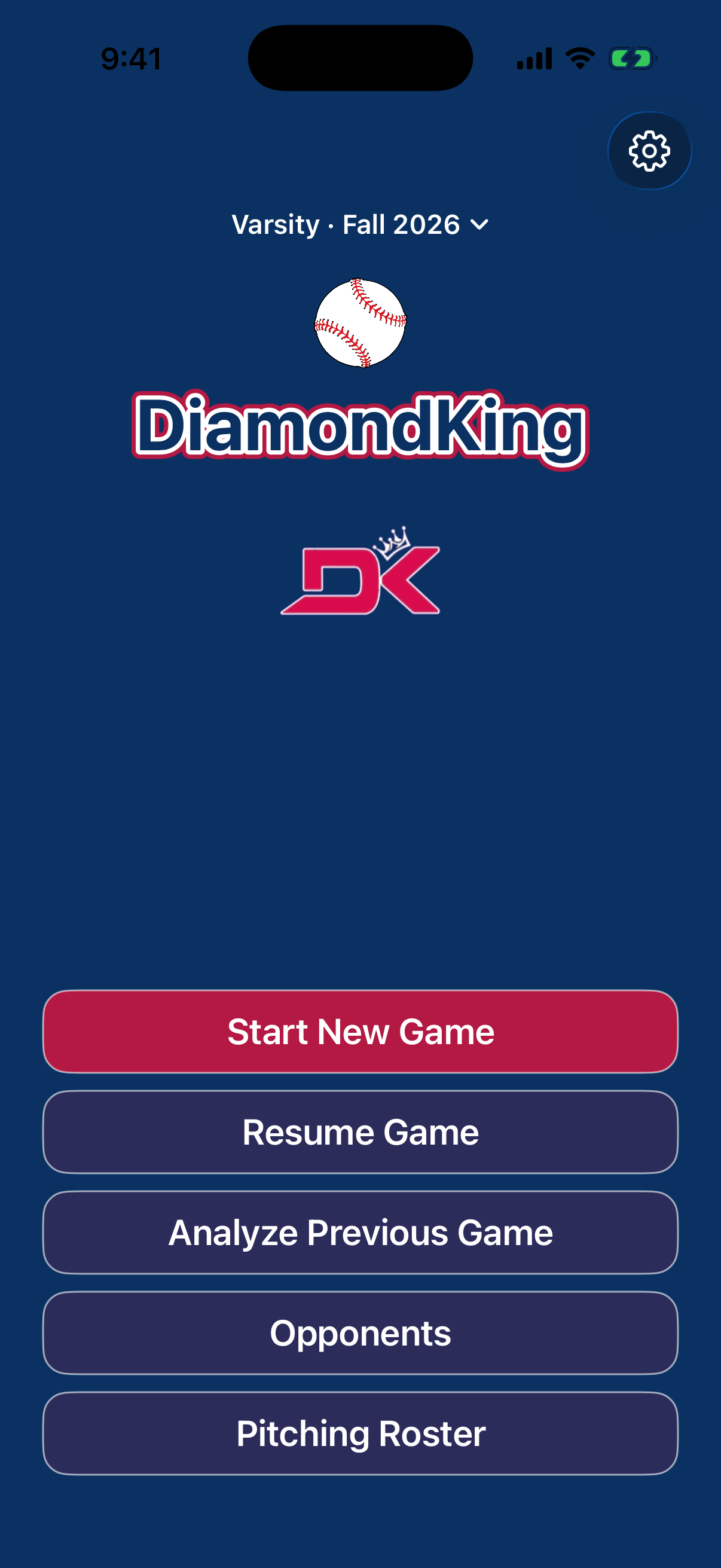
DiamondKing home screen with the team switcher and saved games
Your team, games, opponents, and pitchers, one tap away.
Team switcher in DiamondKing listing multiple teams
Varsity, JV, travel: switch in one tap, data stays separate.

Phone to Wrist

The signal, reinvented

Lock in a pitch on the phone and it shows up on the wrists that need it. Apple Watch works today. Dedicated DK signal watches for the pitcher and catcher are in pilot testing.

  • Lock in a pitch on the phone in the dugout.
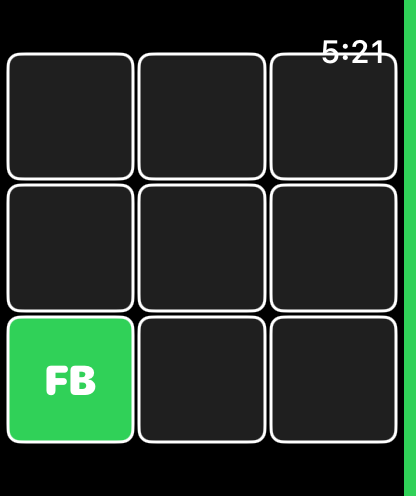
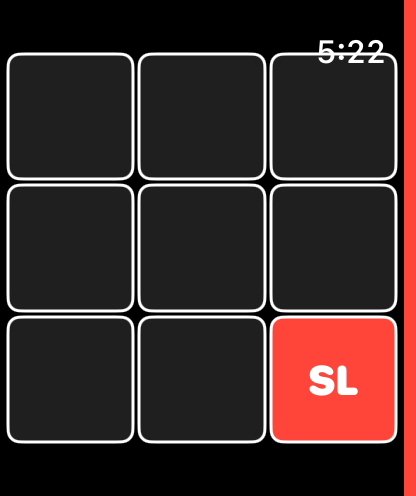
  • The grid lights up on the watch, with the pitch code in its cell.
  • On Apple Watch, green means in the zone, red means a waste pitch, and a side stripe shows which way the batter stands.
  • No wristband cards, no shouted codes, no tipped signs.
Apple Watch showing a called fastball in the strike zone, lit green
In the zone
Apple Watch showing a called slider as a waste pitch, lit red
Waste pitch

Apple Watch: the called pitch lights its cell on the grid.

Limited Beta

Get in before opening day

DiamondKing is in active development with real teams. Join the early-access list and you'll get a TestFlight invite as spots open — and a say in what gets built next.

No spam — just beta invites and launch news.

The Story

Built from the dugout up

DiamondKing wasn't designed in a boardroom. It's built independently, game by game, by a founder who got tired of paper scorebooks, tipped signs, and stat apps that can't keep up with live baseball.

Every feature ships because a real game needed it. Interested in partnering, investing, or piloting DiamondKing with your program? Get in touch.

Diamond Kings team wordmark

The name honors the Diamond Kings — the ball club where it all started.

Quick Answers

What devices does it run on?

iPhone today, with a companion app for Apple Watch. Dedicated pitcher and catcher signal watches are in pilot testing. Android is coming soon.

Can I run more than one team?

Yes. Varsity, JV, and travel teams each keep their own games and roster on the same phone, and you switch between them in one tap.

Do I need to buy a watch?

No. DiamondKing works on its own. The watch signals are optional, and details on the signal watches will come as the pilot wraps up.

Do I need a signal to use it?

No. Scoring a game and saving it do not need cell service or Wi-Fi, so it works at the field.

Is it on the App Store?

Not yet. We're in beta. Join the waitlist above for a TestFlight invite and launch news.

Who is it for?

Coaches first (travel ball, high school, and college programs), plus scorekeepers and baseball parents who want real pitch data.

What does it cost?

Beta access is free. Pricing will be announced at launch, and early-access members get first crack at founding-member terms.

Customer Service

We answer the phone (well, the email)

Support & questions: support@diamondking.app — a real person reads every message, usually same day.

Bug reports: include your device, what you were doing, and a screenshot if you can.

Feature ideas: beta users steer the roadmap. Tell us what the dugout needs.